
Overview
Membean keeps a list of important activities that a student performs, such as logging in and out, starting and finishing a training session, or completing quizzes and writing assignments. This time-stamped record is helpful if you need to check on the activity of a student. This article will show you how to access a student's activity log.
Step 1: Find Your Student
Using the left-hand panel, expand "My Students" and click on All My Students.

From the table, scroll down and click on the name of the student you wish to view.

Step 2: Review the Activity Log
Scroll down the page to find the activity log.
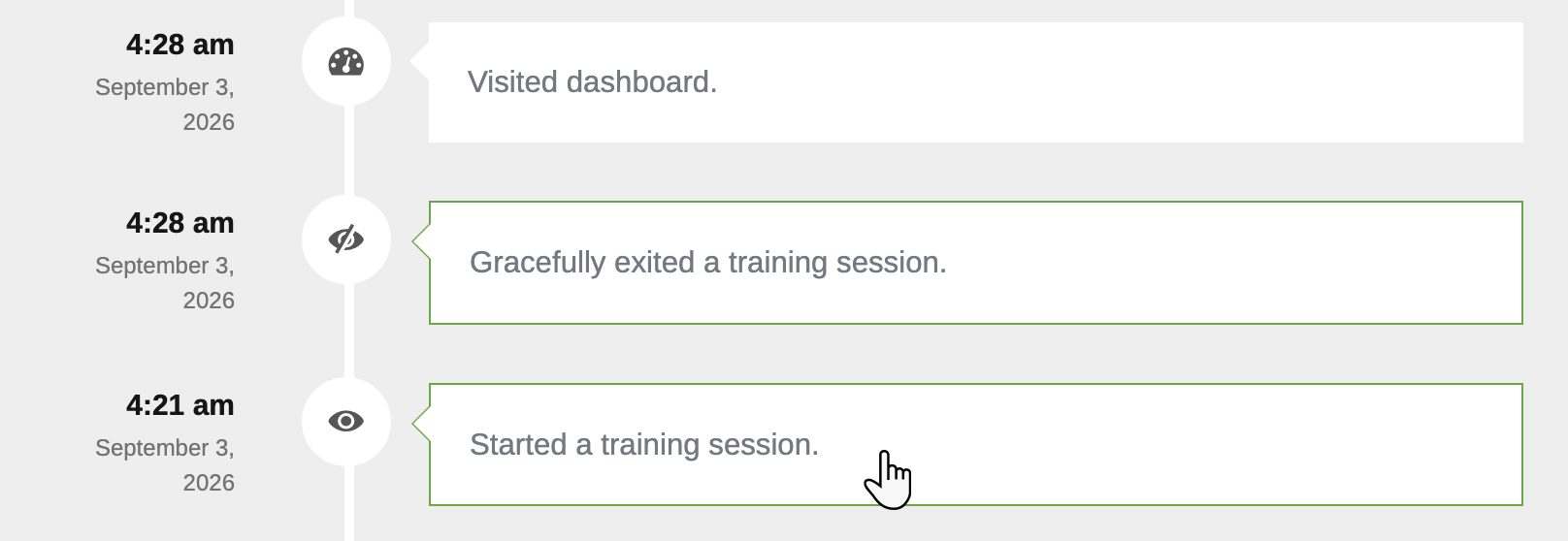
Each activity has a timestamp to tell you exactly when the activity occurred and a description of the activity. Click on an entry for training, a quiz, or a writing assignment to be taken to the details.
Filtering Activity by Date
Looking for a specific session or time frame? Use the Filter Activity by Date widget. Enter the date or range, and click Filter. The Activity Log will show any activities during the time you selected.
