
Overview
The Reduced Answer Choices on Quizzes setting helps support accommodations by limiting the number of answer options shown on quizzes. This article explains how to enable the setting and when to use it.
Reducing answer choices significantly lowers quiz difficulty. We recommend using this setting only when an accommodation explicitly calls for it, such as one outlined in a student's IEP or 504 plan.
Open Student Preferences
From the Students tab of your class dashboard, find the student who needs reduced answer choices and click Preferences from their dropdown.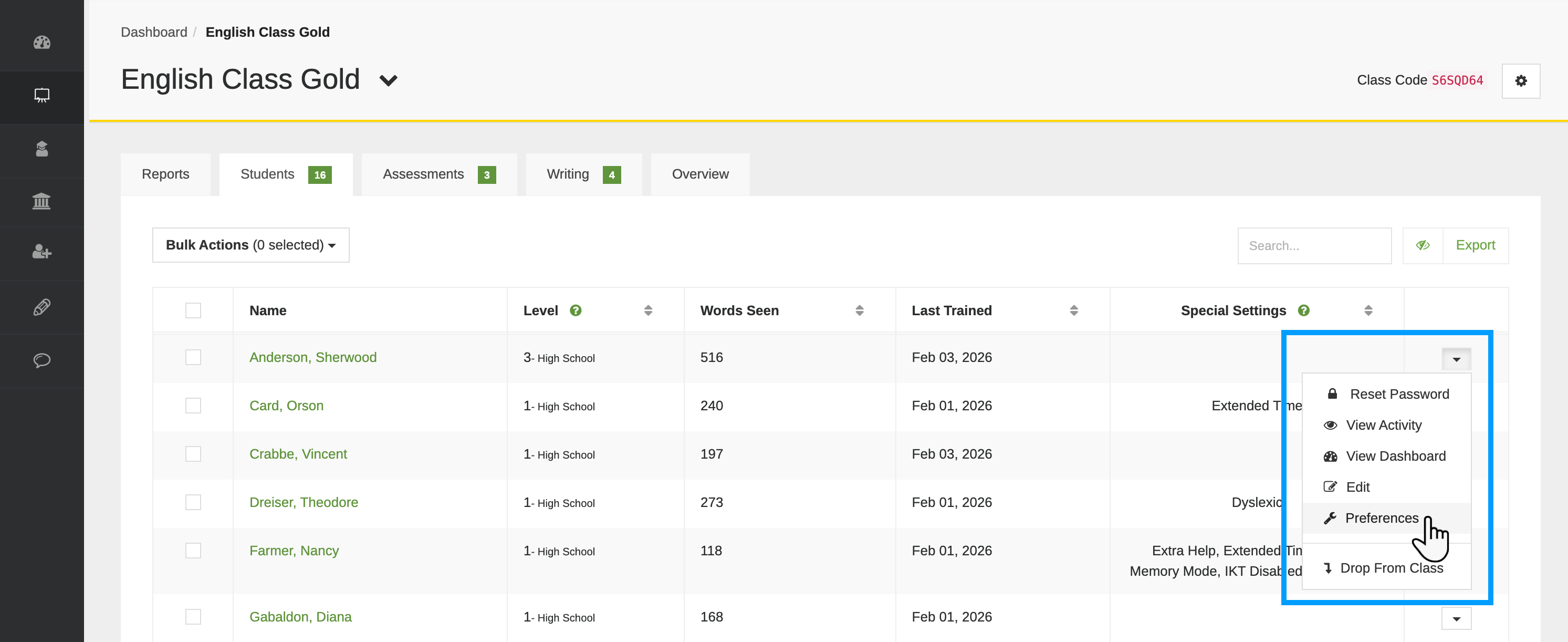
Set the Maximum Number of Answer Choices
Locate the Reduce Answer Choices on Quizzes setting and choose the maximum number of answer choices the student should see (by default, questions may include 3-4 choices). This limit applies to all quiz questions, including select-all-that-apply (SATA). If you select 3 or 2 here, the student will never see more than that number of choices on any quiz question.
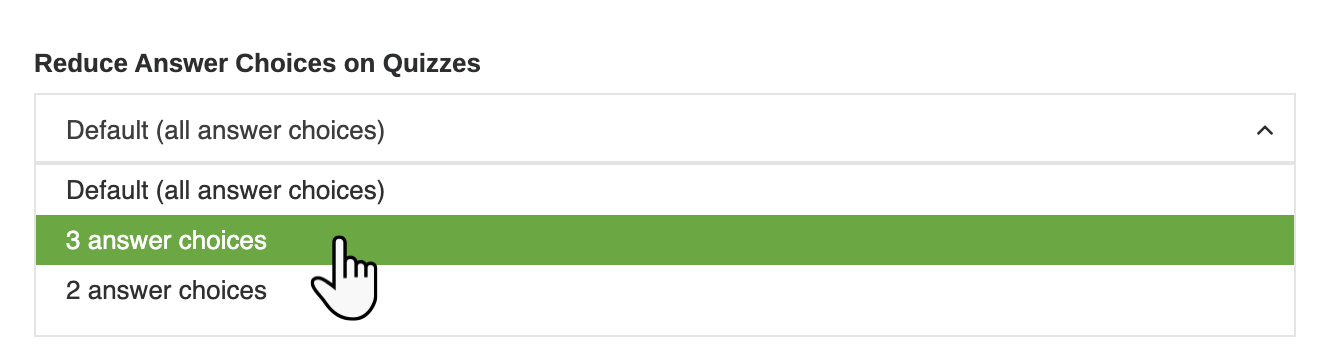
Make your selection and click Save.
This setting only affects quiz answer choices. It does not change training questions, word difficulty, or grading expectations.