
Overview
If a student needs to be removed from your class, you can use the Transfer/Drop widget. Dropping a student removes them from your roster, but their training data remains intact. They can continue training independently and re-enroll in another teacher’s class, or rejoin one of yours, at any time. This article explains how to drop a student from your class.
Step 1: Find Student
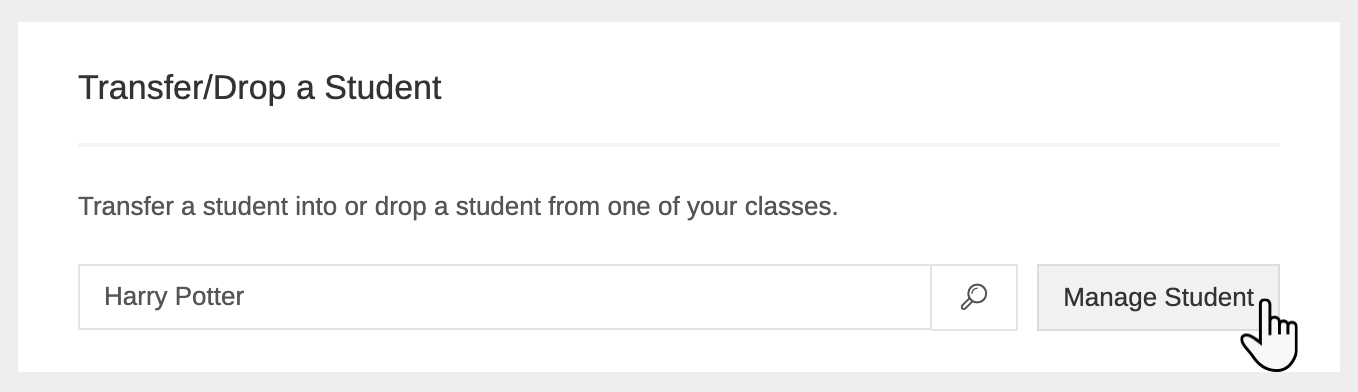
From your teacher dashboard, scroll down until you find the Transfer/Drop a Student widget. Search for the student and click Manage Student.
Step 2: Select Drop
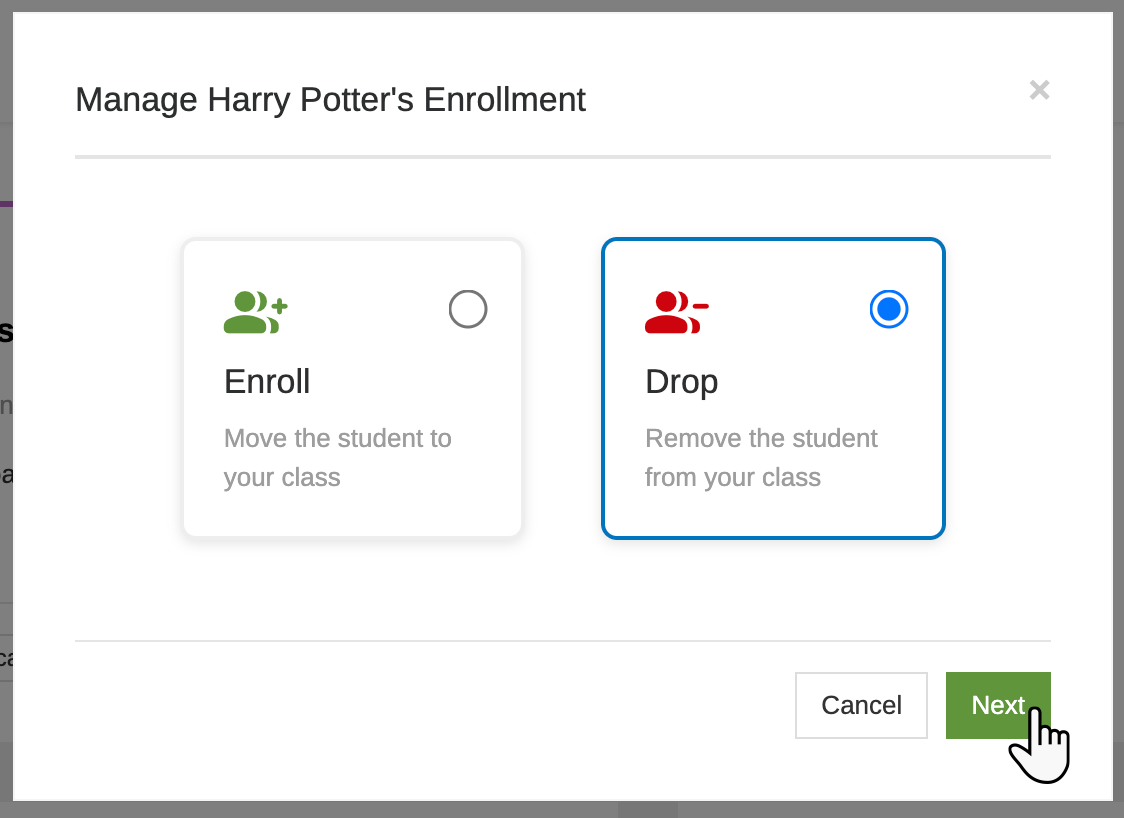
Select Drop and click Next.
Step 3: Confirm the drop
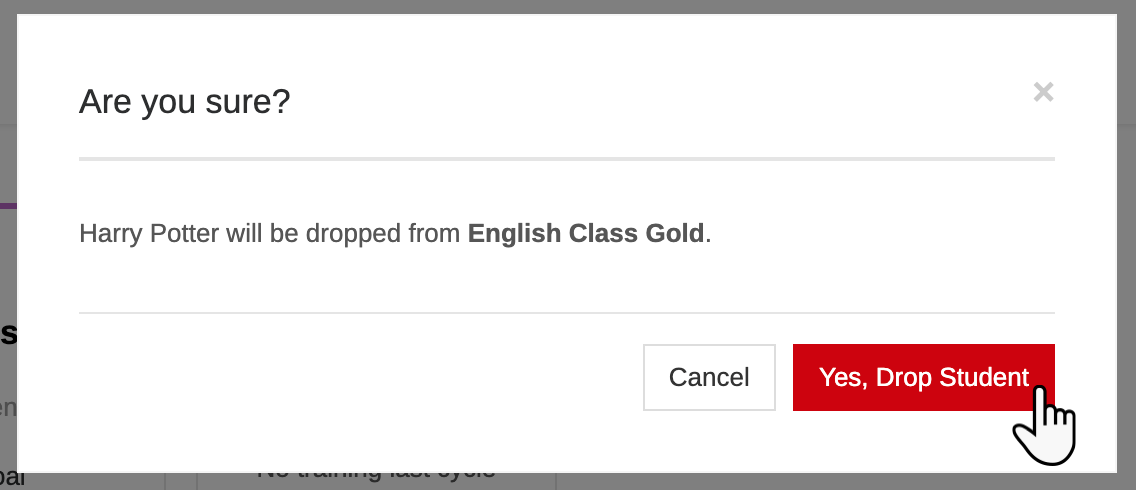
Double check that you are dropping the right student from the right class, and click Yes, Drop Student.
The student will no longer be enrolled in your class.